Buying a television for an overseas home can raise a few questions that do not usually come up when shopping for a regular TV. Will it work with the local power supply? Can it display television signals from another country? Will a cable box, satellite receiver, or gaming device connect without problems?
These questions matter to people moving abroad, families with homes in different countries, and anyone who wants to watch content from multiple regions. This is where a multi-system television can be worth considering.
A 220 Volt Multi System LED TV is designed for buyers who need to pay attention to both electrical compatibility and the television signals or formats supported by the set. However, the term “multi system” can mean different things depending on the model. It is important to understand what a particular television supports before making a purchase.
At Sam Stores, international appliance shoppers can use this guide to understand multi-system technology, compare important features, and make a more informed decision when choosing a television for an overseas home.
What Does Multi System Mean in an LED TV?
In simple terms, a multi-system TV supports more than one television signal standard or video format. Historically, different countries used different analogue television broadcasting systems, including PAL, NTSC, and SECAM.
These standards affected how television signals were transmitted and displayed. A television designed for one standard might not display signals from another region correctly without compatible equipment.
A multi-system television was developed to handle more than one of these formats. This made it particularly useful for international travellers, expatriates, and households that used equipment from different countries.
Modern televisions work differently from older analogue sets. Digital broadcasting, HDMI connections, streaming services, and external receivers have changed how people access entertainment. As a result, the phrase “multi-system” may refer to different capabilities depending on the product.
For example, a television might support several analogue video formats but have a digital tuner designed for a particular country. Another model might accept different video inputs through HDMI but lack compatibility with every regional broadcast service.
That is why checking the actual specifications is more useful than relying on the product name alone.
What Is a 220 Volt Multi System LED TV?
A 220 Volt Multi System LED TV combines two considerations that international buyers should understand: electrical input requirements and supported television formats.
The 220V reference concerns the electrical supply the television is designed to use. The multi-system description generally relates to the signal formats or television standards it supports.
These are separate features.
A TV can support multiple video standards but still require a specific electrical input. Likewise, a television that accepts a wide range of input voltages does not automatically support every broadcast standard used around the world.
Before buying, check the voltage information on the manufacturer’s label or product documentation. Some models support a range such as 100V to 240V, while others are designed for a narrower range. Never assume that every television advertised as multi-system is compatible with every country’s electrical supply.
Buyers should also check the supported frequency, plug type, tuner configuration, and available connections.
For people furnishing an overseas apartment or second home, these details can prevent compatibility problems after delivery.
Why Do International Buyers Need a Multi-System TV?
Television requirements can change considerably when you move from one country to another. A set purchased in one region may not work exactly as expected with local broadcast equipment in another.
A multi-system television may be useful in several situations.
1. Moving Abroad
Relocating for work, study, or family reasons often involves replacing some household appliances. If you want to take a television with you, you need to know whether it will work with the destination’s electrical supply and entertainment equipment.
A compatible TV may allow you to continue using your existing devices instead of replacing the entire entertainment setup.
However, you should confirm compatibility with local digital broadcasting services separately. Tuner standards and supported broadcast frequencies can vary between markets.
2. Maintaining a Second Home
Some families divide their time between countries and prefer to keep familiar entertainment equipment in both homes.
A multi-system TV may help when using compatible video sources from different regions. Before buying, consider the devices you plan to connect, such as a streaming box, DVD player, satellite receiver, or gaming console.
The right television should fit the entertainment setup you actually use, rather than simply offering the longest feature list.
3. Watching Content From Different Sources
People who use international media players, older video equipment, or external receivers may need a television that supports a variety of input formats.
Modern HDMI connections have simplified many compatibility issues because they carry digital video and audio between compatible devices. Nevertheless, regional broadcast tuners, older analogue inputs, and copy-protection requirements can still affect whether a particular setup works.
Check the television’s supported inputs and the output specifications of each connected device.
PAL, NTSC, and SECAM: What Buyers Should Know
Understanding these three terms can make multi-system TV specifications easier to interpret.
PAL: PAL was widely used for analogue television broadcasting in many countries across Europe, Asia, Africa, and Oceania.
NTSC: NTSC was historically used for analogue television in countries including the United States and Japan.
SECAM: SECAM was used in various countries, particularly in parts of Europe, Africa, and other regions.
These are legacy analogue television standards. They are still relevant when connecting certain older devices, but modern digital television services do not all rely on them.
If you plan to use a VCR, older DVD player, analogue receiver, or other legacy equipment, checking PAL, NTSC, and SECAM support may be important.
If most of your viewing happens through streaming apps or HDMI-connected devices, other specifications may matter more. These include resolution, HDR support, refresh rate, available HDMI ports, and compatibility with your streaming equipment.
The main point is to match the television to your intended use instead of assuming that multi-system support guarantees universal compatibility.
How to Choose the Right Multi-System LED TV
The best television is not necessarily the one with the largest screen or the most features. It is the model that meets your viewing needs and works with your equipment.
Here are the main points to consider before purchasing.
Check the Voltage Range
Start with the manufacturer’s electrical specifications. If you need a TV for a 220V or 230V supply, confirm that its rated input includes the voltage available in your home.
A model rated for 100V to 240V may offer greater flexibility across countries, provided its frequency and other requirements are also compatible.
Remember that a plug adapter changes the physical plug connection, not the voltage. If a television does not support the local electrical supply, consult the manufacturer or a qualified electrician about a suitable solution.
Choose the Right Screen Size
Screen size should reflect the viewing distance, room layout, and available space.
A smaller television may be sufficient for a bedroom, guest room, or compact apartment. A larger screen may work better in a living room where several people watch together.
Measure the available space before ordering. Account for the TV stand, wall clearance, cable access, and ventilation.
Compare Resolution and Picture Quality
Many modern buyers expect at least Full HD resolution, while 4K televisions offer additional detail for compatible content.
The best option depends on screen size, viewing distance, budget, and the content you watch. If you primarily stream high-resolution films or play games, resolution, refresh rate, and HDR support may deserve particular attention.
Do not overlook sound quality either. A slim LED television may benefit from a soundbar or external speaker system if you want fuller audio for films and sports.
Review Connectivity Options
Check the number and type of ports available on the TV.
HDMI is useful for streaming devices, gaming consoles, Blu-ray players, and compatible receivers. USB ports can support certain media playback functions or accessories, depending on the model.
Buyers who rely on older equipment should confirm whether the television has the necessary legacy inputs or whether an appropriate converter is required.
Also check Wi-Fi capability, Ethernet connectivity, and smart TV features if you plan to stream content directly.
Understand the Tuner Requirements
A television’s built-in tuner may be designed for a particular digital broadcasting system. Multi-system video support does not necessarily mean the tuner will receive local channels in every country.
If you plan to watch over-the-air broadcasts, verify the supported digital tuner standard for your destination. If you use cable or satellite services, ask the provider whether its receiver is compatible with the television’s available inputs.
This is especially important for buyers who expect a television purchased abroad to work immediately with local channels.
Build a Better Entertainment Setup at Home
Choosing the right television is only one part of creating a comfortable entertainment space. Accessories and connected devices can also influence how convenient the setup is.
Consider Your Internet Connection
For a smart TV, a stable internet connection helps with streaming films, watching online videos, and using supported applications.
Buyers researching networking equipment, such as a Vizio Dual Band HD Wireless Internet Router, should verify the exact product specifications and compatibility with their internet service before purchasing. A dual-band router can offer access to different Wi-Fi frequency bands, but actual performance depends on the router, connected devices, signal strength, and network congestion.
If possible, position the router where the signal reaches the television reliably. For demanding streaming or gaming setups, a wired Ethernet connection may provide a useful alternative when the TV supports it.
Remember that a router does not make an incompatible broadcast tuner compatible. Internet streaming and over-the-air television reception are separate functions.
Select a Suitable TV Stand
A stable stand keeps the television secure and helps the room look organised. An Avista Sovereign TV Stand may be worth researching if you are comparing furniture options for your entertainment area, but confirm its dimensions, weight capacity, and compatibility with your particular television.
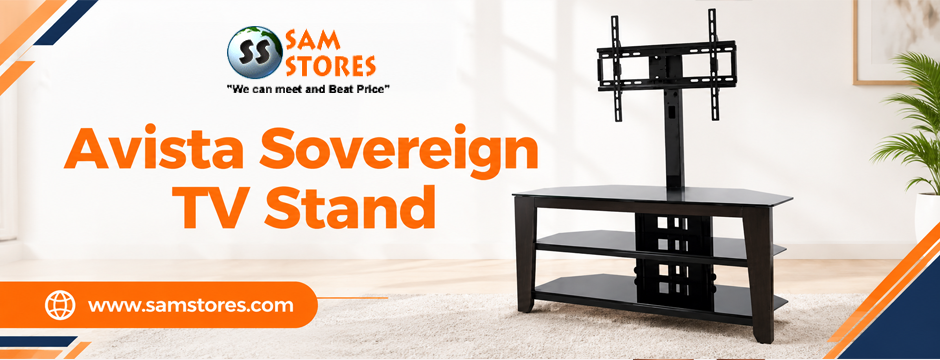
Check the TV’s width, the stand’s supported load, and the available space for connected equipment. Leave sufficient room for ventilation and cable management.
If you prefer wall mounting, verify the television’s VESA mounting pattern and use a mount rated for its weight and dimensions.
Multi-System LED TV vs. Smart TV: Are They the Same?
No. These terms describe different features.
A multi-system television is generally associated with support for multiple video formats or television standards. A smart TV offers internet-connected functions, such as streaming apps, online services, and sometimes voice control or screen casting.
A television can offer both capabilities, but one does not guarantee the other.
For example, a multi-system TV may have limited smart functionality, while a smart TV may be designed primarily for a specific regional broadcast system. If you need both, verify that the exact model supports the video standards, electrical supply, streaming applications, and connections you require.
It is also worth checking whether the TV’s operating system receives software updates and whether your preferred streaming services are available in the destination country.
Alternatives for a More Flexible Home Theatre
A television is not the only way to enjoy films and other video content at home.
Some buyers prefer a projector for a larger viewing area or a dedicated home theatre room. A projector can be useful when the room allows suitable placement, screen space, and control over ambient light.
For example, the LG PF 1000 UW Smart Home Theatre Projector is a product reference buyers may encounter when researching home theatre equipment. Before choosing any projector, verify its resolution, brightness, throw distance, supported inputs, and electrical rating.
Similarly, shoppers researching older television models, such as the Samsung PS51F4500 51 Inch Multisystem Plasma TV, should check the exact model’s availability, specifications, power requirements, and condition. Plasma technology differs from LED technology, so this is not a direct comparison of equivalent display types.
These alternatives illustrate why product specifications matter more than a label alone. Choose the device that suits your room, viewing habits, and equipment.
Common Mistakes to Avoid When Buying a Multi-System TV
A few simple checks can help you avoid disappointment.
- Confusing voltage compatibility with video compatibility: These are separate specifications and must be checked independently.
- Assuming every model supports every broadcast standard: Read the technical details for the exact model.
- Ignoring the digital tuner: Confirm compatibility with local broadcast services if you intend to watch free-to-air channels.
- Overlooking connectivity: Check whether your receivers, consoles, streaming devices, and older equipment can connect.
- Buying the wrong screen size: Measure the room and viewing distance before deciding.
- Forgetting local service and warranty coverage: International purchases may have different repair options, return policies, and warranty conditions.
These checks are particularly useful when purchasing electronics for overseas delivery, where returning a bulky television can be inconvenient or expensive.
Find the Right Television for Your International Home at Sam Stores
A multi-system television can be a practical choice for international buyers, but its value depends on the features it actually supports. Electrical input, analogue video standards, digital tuners, HDMI connectivity, and smart TV capabilities all serve different purposes.
Before making a decision, identify the equipment you plan to connect, confirm the electrical requirements in your destination, and compare the picture quality and connectivity features that matter to your household.
At Sam Stores, shoppers researching international electronics can use these considerations to compare available options and make a more confident purchase. Whether you are furnishing a new overseas home, upgrading a bedroom television, or creating a home theatre, a little preparation can save time and help you choose equipment that fits your needs.
The right television should do more than look good on a shelf. It should work with your power supply, suit your viewing habits, and connect easily with the devices you use every day.
FAQs –
1. What does multi system mean in an LED TV?
A multi-system TV generally supports more than one television signal standard or video format, such as PAL and NTSC. The exact supported formats vary by model, so buyers should check the manufacturer’s specifications.
2. Is a 220 Volt Multi System LED TV compatible with every country?
No. Compatibility depends on the television’s rated input voltage, frequency, plug requirements, supported video formats, digital tuner, and connected devices. Always check the specifications for the destination country.
3. What is the difference between a multi-system TV and a smart TV?
A multi-system TV supports multiple video formats or television standards, depending on its specifications. A smart TV provides internet-connected features such as streaming apps. A television may offer both, but one feature does not guarantee the other.
4. Can a multi-system LED TV receive television channels in another country?
Not necessarily. It may support certain video formats but still lack a digital tuner compatible with local broadcasts. Check the destination’s broadcast standard and the TV’s tuner specifications, or use a compatible external receiver.
5. Can I use a 220V multi-system TV in a 240V electrical system?
Only if the manufacturer’s rated input voltage range includes 240V. Check the label or manual and verify frequency requirements. A plug adapter alone does not convert voltage.