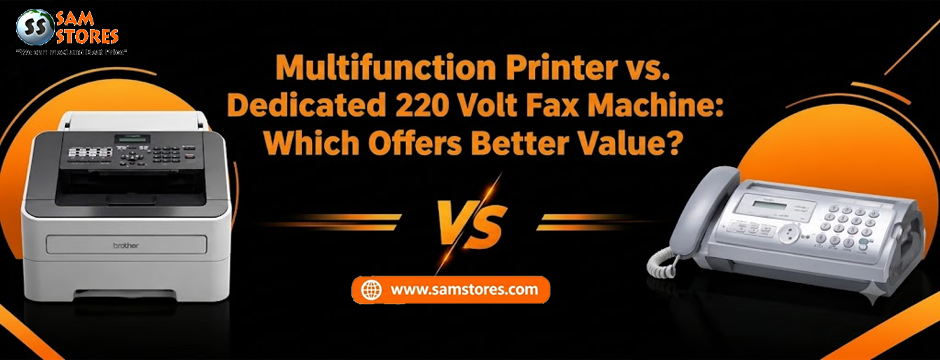
Buying office equipment is rarely just about choosing a machine that gets the job done. You also need to think about how often you will use it, how much space it takes up, the cost of supplies, and whether it will work with your existing electrical setup. For businesses that still rely on fax communication, one question comes up regularly: should you invest in a multifunction printer or purchase a dedicated 220 Volt Fax Machine?
The answer depends on your daily workload.
A multifunction printer can handle printing, scanning, copying, and faxing from a single device. A dedicated fax machine, on the other hand, focuses on sending and receiving documents by fax. For a small office that faxes occasionally, combining several functions in one machine may be the practical choice. For a business that processes fax documents throughout the day, a dedicated machine could make more sense.
At Sam Stores, choosing the right equipment starts with understanding what your office actually needs. Let’s compare both options, look at the costs involved, and identify the features worth checking before you buy.
What Is a Dedicated 220 Volt Fax Machine?
A dedicated fax machine is designed primarily to send and receive documents over a compatible telephone or fax connection. Depending on the model, it may use plain paper, include an automatic document feeder, support speed dialing, and offer memory storage for incoming faxes.
These machines remain useful in workplaces where faxing is part of an established process. Medical offices, legal practices, administrative departments, and businesses dealing with signed documents may still depend on fax communication for particular transactions.
One advantage is straightforward operation. Employees who regularly send and receive faxes can work with a familiar interface without navigating several unrelated functions.
A dedicated 220 Volt Fax Machine may be worth considering if your business handles a high volume of fax traffic and does not need a printer or copier integrated into the same unit.
Before purchasing, however, check the actual product specifications. Voltage, telephone-line compatibility, paper requirements, supported communication standards, and regional availability can vary between models.
What Is a Multifunction Printer?
A multifunction printer combines several office tasks in one device. Depending on the model, it may print, scan, copy, and send or receive faxes.
For a small business, this can make everyday document handling easier. An employee might scan a signed agreement, print a revised copy, fax a completed form, and make additional copies without moving between separate machines.
A multifunction device can also reduce the amount of desk or counter space needed for office equipment. Instead of maintaining separate machines for printing, copying, scanning, and faxing, your team can complete these tasks through one unit.
Why Businesses Choose Multifunction Printers
Several functions in one place: A single device can cover multiple document-handling needs, making it attractive to small offices and home businesses.
Simplified document workflows: Scanning and printing can be managed from the same machine, depending on the model’s capabilities.
Potential space savings: Combining equipment can free up valuable workspace.
Flexible everyday use: Teams that print, copy, scan, and fax documents throughout the week may get more value from one multifunction device than from a fax-only machine.
The trade-off is that a multifunction printer contains more components and features to manage. If it develops a fault that affects the entire unit, your team could lose access to several functions at once. Whether that matters depends on your workload and backup arrangements.
Multifunction Printer vs. Dedicated Fax Machine: A Practical Comparison
The most useful comparison looks at the total cost and the work each machine needs to handle.
| Consideration | Multifunction printer | Dedicated fax machine |
| Main purpose | Printing, scanning, copying, and sometimes faxing | Sending and receiving faxes |
| Initial purchase | Can cost more than a basic fax-only unit, depending on features | May be less expensive for basic faxing |
| Workspace | Usually consolidates several functions | Requires separate equipment for other document tasks |
| Daily workload | Suitable for varied document handling | Suitable for fax-focused workflows |
| Consumables | May require ink or toner and other supplies | Depends on the printing technology and model |
| Maintenance | Several functions and components to maintain | Primarily fax-related functions and components |
| Failure impact | A fault may affect several office tasks | A fault mainly affects fax operations |
| Best fit | Offices needing multiple document functions | Offices with frequent faxing and limited need for other functions |
Neither option automatically delivers better value. A low-cost fax machine may be ideal for a business that sends a few documents each week. A multifunction printer may justify its higher price if it replaces several devices and reduces daily handling time.
Which Option Costs Less Over Time?
The purchase price is only one part of the decision. A machine that costs less initially can become expensive if it requires frequent consumables or does not suit your workload.
Consider these five cost factors before making a decision.
1. Initial Purchase Price
Compare models with similar capabilities rather than choosing based on the product category alone. A basic fax machine and a high-end multifunction printer serve different needs, so their prices may not be directly comparable.
Check whether the device includes the accessories, cables, software, or consumables you need to get started.
2. Ink, Toner, and Paper
A multifunction printer may require replacement ink or toner, depending on its printing technology. Dedicated fax machines also have running costs, which vary by model.
Plain-paper fax machines can be attractive because they use familiar office paper rather than thermal fax rolls. However, plain-paper operation alone does not tell you how much the machine will cost to maintain.
Look at replacement cartridge prices, expected yields, paper requirements, and the availability of compatible supplies before purchasing.
3. Maintenance and Repairs
Every office machine needs occasional attention. Paper jams, worn rollers, connectivity problems, and other faults can interrupt work.
With a multifunction printer, a problem may affect printing, copying, scanning, or faxing. With a dedicated fax machine, the impact is more focused on fax communication. If your office depends heavily on one function, consider whether you need a backup device or an alternative way to send documents.
4. Employee Time
The time employees spend handling documents has a cost of its own.
If staff members frequently switch between a scanner, printer, copier, and fax machine, a multifunction device may simplify the process. If they spend most of the day sending faxes, a dedicated machine with an automatic document feeder and suitable memory features could be more convenient.
The better choice is the one that fits the work rather than forcing employees to change an efficient routine.
5. Equipment Replacement
Think about how your business may change over the next few years. If you expect to need more scanning, printing, and copying, investing in a multifunction device may make sense.
If faxing is the only function you need and that requirement is unlikely to change, paying extra for features that will rarely be used may not be worthwhile.
When Should You Choose a 220 Volts Scanner Fax Machine?
If your business regularly digitises paperwork as well as sending and receiving faxes, a 220 volts scanner fax machine may be a suitable category to explore.
A combined scanner and fax device can help teams handle invoices, signed forms, purchase orders, and other business documents. Depending on the model, you may also be able to store scanned files digitally or send them to a computer or network location.
Before choosing a model, check whether it supports the scanning resolution you need, the file formats your team uses, and the connection options available in your office.
An automatic document feeder is worth considering if employees regularly scan or fax multi-page documents. It can reduce the need to place each page on the glass individually.
Also confirm that the device supports your intended fax connection. A scanner does not automatically mean the product includes fax functionality, so read the specifications carefully.
Is a 220-240 Volt Xerox Fax Machine Worth Considering?
Businesses comparing established office equipment brands may come across a 220-240 volt Xerox Fax Machine while researching fax and document-management options.
The important question is whether the particular model meets your requirements. Check its supported voltage range, fax features, paper handling, consumable availability, and compatibility with your office telephone system.
Do not assume that every product from a particular brand operates at 220-240 volts. Model specifications can differ by region, and older equipment may have different requirements from newer devices.
If you are considering a used or discontinued model, pay particular attention to the availability of replacement parts, service support, and consumables. A low purchase price may not be worthwhile if maintaining the machine becomes difficult.
For buyers at Sam Stores, comparing specifications before placing an order is a sensible way to avoid purchasing equipment that does not suit the office setup.
When Does a 220-240 Volt Plain Paper Fax Machine Make Sense?
A 220-240 volt Plain Paper Fax Machine may appeal to offices that want to receive fax documents on ordinary office paper.
Plain-paper output can be convenient when documents need to be filed, photocopied, distributed to colleagues, or stored alongside other business records. It also avoids the need to manage specialised thermal fax paper, although the machine may still require ink, toner, or other consumables.
This type of machine may suit a small legal office, administrative team, or business that maintains paper-based records.
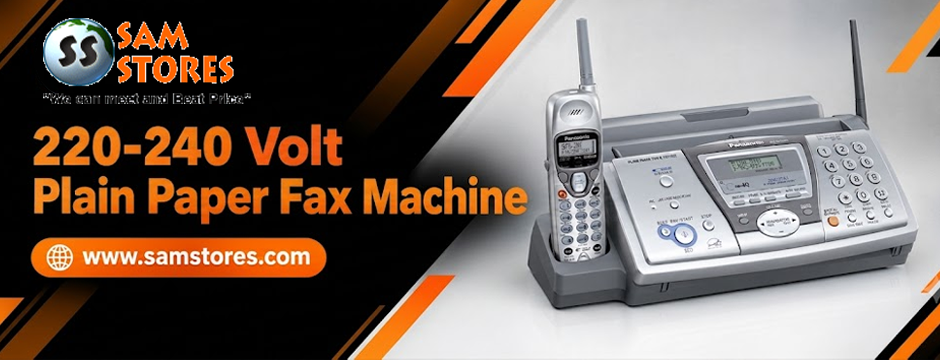
Before buying, check the supported paper sizes, printing method, cartridge costs, document feeder capacity, and memory features. If your office regularly receives lengthy documents, these details can make a noticeable difference to everyday use.
Would a 220-240 Volt Multifunction Copier Machine Offer Better Value?
For many small and medium-sized businesses, a 220-240 volt Multi Function Copier Machine may be the more versatile investment if it combines the functions the office genuinely uses.
Imagine a small distribution company processing supplier invoices, printing delivery documents, copying signed forms, and faxing paperwork to business partners. A multifunction copier could bring these tasks together and reduce the number of separate machines the team needs to operate.
However, the word “multifunction” does not guarantee that every required feature is included. Some models scan, print, and copy but do not support faxing. Others offer fax functionality only through particular configurations or optional components.
Before buying, verify that the exact model supports:
- Fax transmission and reception, if required
- The printing and copying volume your team expects
- Suitable scanning resolution and file output
- The required paper sizes and document feeder capacity
- Your office’s voltage and electrical connection
- Available replacement consumables and servicing
If the machine is intended for frequent office use, also consider its recommended monthly duty cycle and rated printing speed.
Voltage Compatibility: What Buyers Should Check
Voltage deserves particular attention when purchasing office equipment intended for international use.
A machine advertised as 220V or 220-240V must match the electrical supply requirements specified by the manufacturer. Check the rating label or product manual rather than relying on the product title alone.
You should also verify the plug type, frequency rating, and current requirements. A plug adapter changes the physical connection, but it does not convert voltage. If voltage conversion is necessary, confirm that any transformer is correctly rated for the device and approved for the intended use.
Fax machines also require an appropriate telephone or fax connection. Depending on the model and your communication provider, traditional telephone-line service, a compatible business phone system, or other arrangements may be necessary. Do not assume that every fax machine will work with every internet-based telephone service.
Taking these steps before ordering can prevent compatibility problems after delivery.
How to Choose the Right Machine for Your Business
Use your actual office workload to guide the decision.
Choose a dedicated fax machine if:
- Faxing is a major part of your daily operations.
- Your existing printer and scanner already meet your needs.
- You want straightforward fax-focused operation.
- You need to keep faxing separate from other office functions.
Choose a multifunction printer if:
- Your team regularly prints, scans, copies, and faxes documents.
- Desk space is limited.
- You want to consolidate equipment.
- The model includes the features and monthly capacity your office requires.
For occasional faxing, it may also be worth comparing a multifunction printer with an online fax service. The right option depends on document requirements, privacy obligations, workflow, and the costs involved.
Find Office Equipment That Fits Your Needs at Sam Stores
There is no universal winner in the multifunction printer versus dedicated fax machine comparison. The better investment depends on how your business handles documents, the frequency of fax use, your available workspace, and the ongoing cost of maintaining the equipment.
A dedicated 220 Volt Fax Machine can be a sensible choice when fax communication is the main requirement. A multifunction printer or copier may offer greater value when printing, scanning, copying, and faxing are all part of the daily routine.
At Sam Stores, compare the specifications of the models you are considering, paying close attention to voltage compatibility, consumables, paper handling, connectivity, and service availability. If you are choosing equipment for an international office, make sure the exact model matches your electrical supply and communication setup.
The aim is not to buy the machine with the longest feature list. It is to choose reliable equipment that meets your needs without adding unnecessary expense.
Frequently Asked Questions
1. Is a multifunction printer better than a dedicated 220 Volt Fax Machine?
A multifunction printer is often better for offices that need printing, scanning, copying, and faxing in one device. A dedicated fax machine may be a better fit for businesses that handle frequent fax communication but have little need for the other functions.
2. What should I check before buying a 220V fax machine?
Check the rated voltage and frequency, plug type, telephone-line compatibility, supported paper size, document feeder capacity, consumable costs, and availability of replacement parts. Confirm the specifications of the exact model before ordering.
3. What is the difference between a plain-paper fax machine and a thermal fax machine?
A plain-paper fax machine typically prints using ink or toner on ordinary office paper. A thermal fax machine uses heat-sensitive paper. Paper availability, document storage preferences, and running costs can help determine which option is more suitable.
4. Can a multifunction copier send and receive faxes?
Yes, some multifunction copiers support fax transmission and reception. However, not every model includes fax functionality. Check the product specifications and confirm whether any additional hardware or configuration is required.
5. Is a 220-240V fax machine compatible with every international power outlet?
No. The voltage, frequency, plug type, and electrical requirements must match the destination’s power supply and the manufacturer’s specifications. A simple plug adapter does not convert voltage, so check compatibility before connecting the device.